
[Published: June 14, 2026 | Last updated: June 14, 2026] | 10 min read
TL;DR
- A local area network (LAN) connects devices within a single physical location — a home, office, or school — sharing one internet connection and internal resources (Cisco, 2026).
- The global LAN market was valued at $102.93 billion in 2025 and is growing to $107.82 billion in 2026 at a 4.8% CAGR, projected to reach $131 billion by 2030 (The Business Research Company, 2026).
- LAN hardware includes switches, routers, access points, and Ethernet cables. Cat6 is the current mainstream office cabling standard, supporting up to 1–10 Gbps depending on run length (Network-Switch.com, 2025).
- Two main LAN types exist: client/server LANs for businesses and peer-to-peer LANs for homes (Cisco, 2026).
- Virtual LANs (VLANs) let administrators segment one physical network into separate logical networks without new hardware — a standard security practice in 2026 (eSecurity Planet, 2025).
- LAN is the fastest network type for local use, reaching up to 10 Gbps on modern Gigabit Ethernet infrastructure — far faster than any WAN connection at comparable cost.
A LAN is the network your office runs on, the Wi-Fi your home devices share, and the infrastructure that lets a hospital’s computers talk to each other without touching the public internet. Understanding how it works — what hardware it needs, how it’s structured, and where it can fail — matters whether you’re setting one up, managing one, or just trying to understand why your office internet is slow. This guide covers all of it.
What Is a LAN?
A local area network (LAN) is a collection of devices connected together in one physical location, such as a building, office, or home (Cisco, 2026). The single defining characteristic of every LAN, regardless of size, is that it connects devices within a limited, specific area.
That’s the whole definition. Everything else — the hardware, the cabling, the wireless access points, the speed — is implementation detail.
A LAN can be a home network with two devices sharing one router. It can be a hospital campus with thousands of computers, printers, medical devices, and servers all connected through layered switches and fiber uplinks. Both are LANs. The geographic boundary separates LAN from MAN (metropolitan) and WAN (wide area network), not the headcount or complexity.
LANs were first developed in the 1960s for colleges, universities, and research facilities — primarily NASA — to connect computers to other computers (Cisco, 2026). Ethernet technology, invented at Xerox PARC in 1973 and standardized in 1983, is what made them practical at scale. Wi-Fi made them universal. Today, every restaurant, home, school, office, and hospital runs a LAN of some form.
What Hardware Makes Up a LAN?
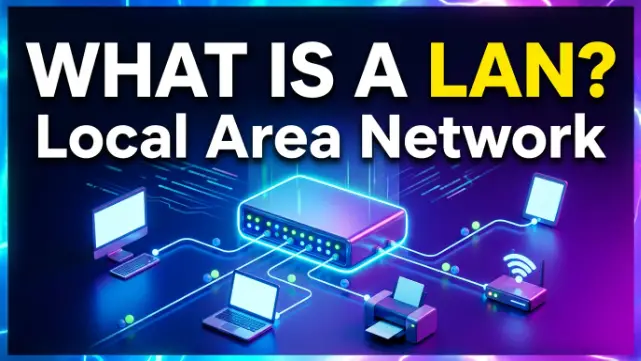
A LAN is built from cables, switches, routers, and access points — each playing a distinct role (Cisco, 2026).
The switch connects multiple devices on the same network. It receives data packets from one device and forwards them to the correct destination device. A 24-port switch can connect 24 devices — computers, printers, servers, access points — to the same LAN segment. Switches are the backbone of any office or enterprise LAN.
The router connects the LAN to the wider internet or to other networks. It manages the traffic between your internal network and the outside world, assigning IP addresses through DHCP and enforcing basic firewall rules. In a home network, the router and switch are often combined in one device.
The wireless access point (WAP) converts a wired LAN connection into a Wi-Fi signal so laptops, phones, and tablets can join without cables. Enterprise LANs use multiple access points to cover large areas — one per floor, or one per room in high-density environments.
Ethernet cables are still the backbone of most office and enterprise networks in 2026 (Network-Switch.com, 2025). Cat6 is the mainstream office cabling standard, supporting 1 Gbps over 100 meters and up to 10 Gbps over shorter runs of 55 meters or less. Cat6A extends 10 Gbps performance to the full 100-meter run and is the recommended choice for new office builds targeting Wi-Fi 7 backhaul speeds. Cat8 is reserved for short-range data center connections, not typical office floors.
Gigabit Ethernet (1 Gbps) is the baseline for almost every serious network in 2026. Multi-Gig connections — 2.5 Gbps and 5 Gbps — are increasingly common for Wi-Fi 6 and 7 access point backhaul and workstation uplinks (Network-Switch.com, 2025).
Two Types of LAN: Client/Server vs Peer-to-Peer
LANs split into two structural types based on how devices share resources (Cisco, 2026).
A client/server LAN uses a central server that manages file storage, application access, device access, and network traffic. Every other device — the clients — connects to that server either through cables or wireless connections. Users access shared databases, email, document management, printing, and other services through the server, with access controlled by a network administrator. Most midsize to large business, government, research, and education networks are client/server LANs.
A peer-to-peer LAN has no central server. Every device shares equally in the network’s functioning, connecting to a switch or router and sharing resources directly with each other. Home networks are almost always peer-to-peer. They’re simpler to set up and cost nothing in server hardware, but they can’t handle the workloads a client/server LAN manages — no central authentication, no centralized file management, no IT-enforced access controls.
The distinction matters when choosing infrastructure. A 10-person startup sharing a few folders can run peer-to-peer. A 50-person company managing customer data, internal applications, and user access control needs client/server architecture.
What Is a WLAN?
A wireless LAN (WLAN) is a LAN without cables — devices connect via Wi-Fi signals from one or more access points instead of Ethernet cables. Your home Wi-Fi is a WLAN.
The terms are often used interchangeably in casual conversation, but the distinction matters for performance and security planning. Wired LAN connections are faster and harder to intercept. A signal on a Cat6 cable stays inside the cable; a Wi-Fi signal radiates outward and can be captured by anyone within range. WLAN trades some speed and security for the convenience of mobility.
Most modern office networks run both. Fixed workstations and servers connect via Ethernet for speed and reliability. Laptops, phones, and tablets use Wi-Fi for mobility. Access points connect to the wired LAN infrastructure and broadcast wirelessly to those mobile devices.
The enterprise WLAN market was valued at $10.51 billion in 2025 and is projected to reach $24.11 billion by 2032 at a 12.6% CAGR, driven by Wi-Fi 6/6E/7 upgrades and rising device density in workplaces (Reanin Market Research, 2026).
What Is a VLAN?
A virtual LAN (VLAN) is a logically segmented group of devices within a physical LAN that behave as if they’re on a separate network — without any additional hardware (Cisco, 2026).
Here’s the practical version. An office has accounting, IT, and sales teams all connected to the same physical switches. Without VLANs, a device in sales can see traffic from accounting. With VLANs, the switch tags each port so accounting traffic stays in the accounting VLAN, IT traffic stays in the IT VLAN, and the two groups are logically isolated even though the cables run through the same hardware (Huntress, 2025).
The security benefit is real. The main cybersecurity advantage of VLAN segmentation is limiting lateral movement — if an attacker compromises one device on a VLAN, they can’t automatically reach devices on other VLANs (Akamai, 2024). The average cost of a data breach hit $4.35 million — VLAN segmentation is one of the most cost-effective ways to contain the blast radius of a breach (AlgoSec, 2025).
VLANs also reduce network congestion. In a large flat LAN, every device constantly broadcasts background traffic to locate network resources. VLANs contain broadcasts within each segment so devices only receive traffic relevant to their group, reducing bottlenecks across the full network (Check Point, 2024).
In 2026, VLANs are standard practice not just for enterprise but for home networks too. Separating IoT devices — smart TVs, doorbells, thermostats — onto their own VLAN prevents a compromised smart device from reaching a laptop or NAS drive on the same router (JazzCyberShield, 2026).
LAN Speed: What You Can Actually Expect
Speed on a LAN depends on the hardware tier and whether the connection is wired or wireless.
| Connection Type | Max Speed | Real-World Use |
|---|---|---|
| Cat5e Ethernet | 1 Gbps | Older office installs, basic home networks |
| Cat6 Ethernet | 1–10 Gbps (run-length dependent) | Standard office cabling in 2026 |
| Cat6A Ethernet | 10 Gbps at 100m | New office builds, Wi-Fi 7 AP backhaul |
| Wi-Fi 5 (802.11ac) | Up to 3.5 Gbps theoretical | Older enterprise WLAN |
| Wi-Fi 6 (802.11ax) | Up to 9.6 Gbps theoretical | Current enterprise standard |
| Wi-Fi 7 (802.11be) | Up to 46 Gbps theoretical | Emerging enterprise deployments |
(Network-Switch.com, 2025; Network-Switch.com, 2025)
Theoretical speeds never match real-world speeds. A Wi-Fi 6 access point rated at 9.6 Gbps delivers 300–900 Mbps to a typical client device under normal conditions. Interference, distance, wall materials, and device count all reduce throughput below the headline figure.
Wired Ethernet consistently outperforms wireless for a simple reason: cables don’t share bandwidth or suffer from radio interference. A wired Cat6 connection to a Gigabit switch delivers close to 940 Mbps consistently. A Wi-Fi connection in the same building varies based on signal conditions.
LAN vs WAN vs MAN: Key Differences
| Feature | LAN | WAN | MAN |
|---|---|---|---|
| Coverage | Building or floor | Country to global | City (5–50 km) |
| Speed | Up to 10 Gbps (wired) | Lower due to distance | Medium to high |
| Ownership | Private (you own it) | Often leased or public | ISP or government |
| Internet access | Through router to WAN | Is the connection method | Through WAN infrastructure |
| Cost | Low to medium | High | Medium |
| Example | Office network | The internet | City-wide broadband |
The fundamental difference between LAN and WAN is ownership and distance. A LAN is private infrastructure you control, covering a limited area. A WAN crosses distances you can’t cable yourself, using infrastructure owned by ISPs, telecoms, or governments. Your office LAN connects to the internet through a WAN link provided by your ISP.
A Short Case Study: Upgrading a School LAN in Dhaka
A private school in Dhaka with 600 students and 80 staff was running a flat 100 Mbps Fast Ethernet network installed in 2015. By 2025, video streaming for lessons, cloud-based learning management systems, and 400+ concurrent wireless devices had pushed the network to its limit — classes regularly experienced buffering and slow file access.
Their IT upgrade replaced the aging switches with Gigabit switches, re-cabled three floors with Cat6A, deployed Wi-Fi 6 access points at one per classroom, and introduced VLANs separating staff, student, IoT devices, and administrative systems into four isolated segments.
Results after 30 days: average classroom Wi-Fi speeds increased from 8 Mbps per device to 65 Mbps. Administrative file access became near-instant. The student VLAN could no longer reach staff shared drives, which had been an unintended access gap in the flat network for years.
Total hardware cost: approximately $14,000. The network now supports the school’s projected growth for at least seven years without another full infrastructure replacement.
Common LAN Problems and How to Fix Them
| Problem | Likely Cause | Fix |
|---|---|---|
| Slow internet for all devices | ISP connection bottleneck or router overloaded | Check ISP plan speed; replace consumer router with business-grade hardware |
| Slow speeds for one device | Bad cable, outdated NIC, or wrong switch port | Replace cable; check device’s network adapter; try another switch port |
| Devices can’t see each other | VLAN misconfiguration or subnet mismatch | Verify VLAN assignments; confirm devices are on the same subnet |
| Wi-Fi drops in certain rooms | Access point coverage gap or interference | Add access point; check for 2.4 GHz interference from microwaves and neighboring networks |
| Network congestion during peak hours | Flat network with no traffic segmentation | Implement VLANs to isolate high-bandwidth traffic from critical systems |
| Unauthorized devices joining Wi-Fi | Weak or default wireless password | Enable WPA3; use MAC address filtering; create separate guest VLAN |
Frequently Asked Questions About Local Area Networks
What is a LAN in simple terms?
A LAN is a network connecting devices in one place — a home, office, or school — so they can share files, printers, and one internet connection. Your home Wi-Fi is a LAN. Your office network is a LAN. Both connect local devices to each other and to the internet through a router (Cisco, 2026).
What is the difference between a LAN and a WAN?
A LAN connects devices in one physical location and is privately owned. A WAN connects networks across cities, countries, or continents and uses infrastructure owned by ISPs or telecoms. Your office LAN connects to the internet through a WAN link. The internet itself is the largest WAN in the world.
What is the difference between a LAN and a WLAN?
A LAN uses Ethernet cables for device connections. A WLAN uses Wi-Fi radio signals. Both cover the same geographic scope — a building or floor — but WLAN adds mobility at the cost of some speed and security. Most modern offices run both in parallel.
What is a VLAN and why does it matter?
A VLAN is a virtual partition inside a physical LAN. It lets network administrators logically separate devices — for example, keeping accounting computers isolated from guest Wi-Fi — without running separate physical cables. VLANs improve security by limiting how far an attacker or malware can spread if one device is compromised (Huntress, 2025).
How fast is a LAN connection?
Wired LAN connections on modern Cat6 Ethernet deliver up to 1 Gbps reliably over 100 meters, and up to 10 Gbps over shorter runs. Wi-Fi 6 access points deliver 300–900 Mbps to most client devices in real-world conditions. Wired connections are consistently faster and more stable than wireless for the same LAN.
Can a LAN work without internet?
Yes. A LAN connects local devices to each other regardless of whether there is an internet connection. Devices on a LAN can share files, use shared printers, and access internal servers without any connection to the outside world. Internet access is added by connecting the LAN’s router to an ISP’s WAN link.
What ethernet cable should I use for a new LAN in 2026?
Cat6 is the standard default for new office cabling in 2026, supporting 1 Gbps across 100 meters and 10 Gbps over shorter distances. Cat6A is recommended for new builds targeting future Wi-Fi 7 backhaul speeds or 10 Gbps to the desk over full 100-meter runs. Cat8 is designed for data center short-reach connections, not office floor cabling (Network-Switch.com, 2025).
Key Takeaways
- A LAN connects devices in one physical location. Size doesn’t matter — a two-device home network and a 10,000-device enterprise network are both LANs.
- Core hardware is switches, routers, access points, and Ethernet cable. Cat6 is the 2026 standard for new office cabling; Cat6A for 10G deployments.
- Client/server LANs serve businesses needing centralized control. Peer-to-peer LANs suit homes and small teams.
- VLANs logically segment a physical LAN for security and performance — standard practice for any network with more than one type of user or device.
- The global LAN market is growing to $131 billion by 2030, driven by hybrid work, edge computing, and Wi-Fi 6/7 infrastructure upgrades (The Business Research Company, 2026).
- LAN is always faster than WAN for local traffic. Wired Ethernet inside a LAN consistently outperforms wireless for speed and reliability.