
Published: August 5, 2026 | Last updated: August 5, 2026
TL;DR
- Flagging marks suspected mine locations with a right-click (or long press) to prevent accidental clicks and track danger zones (How-To Geek, 2023).
- Flagging is optional — you can win without flags, but they speed up gameplay and help avoid mistakes (Minesweeper Game, 2026).
- Numbers on revealed squares indicate how many mines are in the eight adjacent squares (including diagonals) (SlashGear, 2025).
- Chord (click both buttons on a number) automatically reveals all unflagged squares when the correct number of flags are placed (Minesweeper Game, 2026).
- Common patterns include 1-2-1 (mines opposite the 1s) and 1-2-2-1 (mines opposite the 2s) (Dev.to, 2026).
- Beginner difficulty: 9×9 grid with 10 mines. Intermediate: 16×16 with 40 mines. Expert: 30×16 with 99 mines (Minesweeper Game, 2026).
What Are Flags For in Minesweeper?
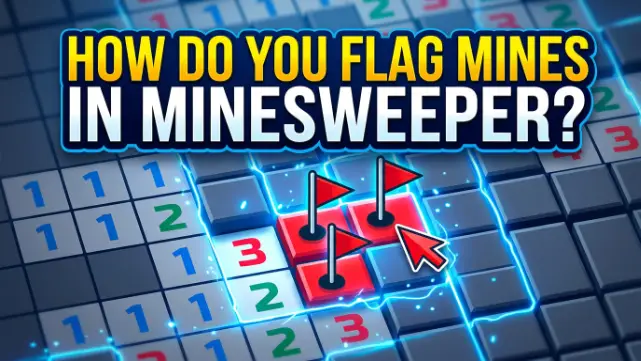
Flags are visual markers you place on squares you believe contain mines (How-To Geek, 2023). They serve several important purposes:
1. Preventing Accidental Clicks
When you flag a square, you won’t accidentally click on it and detonate a mine. This is especially useful when you’re working quickly or near the end of a game.
2. Tracking Deductions
Flags help you keep track of which squares you’ve logically determined to contain mines. As you flag more squares, the number clues become easier to interpret.
3. Enabling the Chord Move
The “chord” move — clicking both mouse buttons on a numbered square — only works when the correct number of flags are placed around that number (Minesweeper Game, 2026). This is the fastest way to clear large sections of the board.
4. Visual Organization
Flags make it easier to see at a glance which areas are dangerous and which are safe, helping you plan your next moves.
How to Flag Mines in Minesweeper
On Desktop (Windows/Mac/Linux)
The most common way to flag mines is with the right mouse button (WikiHow, 2026):
- Right-click a square to place a flag.
- Right-click again to remove the flag.
- Some versions also allow you to place a question mark (right-click twice in some versions) to indicate uncertainty (Minesweeper Game, 2026).
On Mobile (iOS/Android)
Mobile versions of Minesweeper use touch controls:
- Long press (tap and hold) on a square to flag it (Minesweeper Game, 2026).
- Some apps have a flag mode button — tap the flag icon, then tap squares to flag them (Google Play, 2025).
- Tap a flagged square to unflag it.
On Steam/Other Versions
- Right-click to flag (same as desktop).
- Some versions use the spacebar or F key to flag the selected square (Debian, 2026).
What Do the Numbers Mean in Minesweeper?
Understanding numbers is the foundation of flagging. A number on a revealed square tells you exactly how many mines are adjacent to that square — including diagonals (SlashGear, 2025).
| Number | Meaning |
|---|---|
| 1 | Exactly 1 mine in the 8 surrounding squares (SlashGear, 2025) |
| 2 | Exactly 2 mines in the 8 surrounding squares (SlashGear, 2025) |
| 3 | Exactly 3 mines in the 8 surrounding squares |
| 4 | Exactly 4 mines in the 8 surrounding squares |
| 5 | Exactly 5 mines in the 8 surrounding squares |
| 6 | Exactly 6 mines in the 8 surrounding squares |
| 7 | Exactly 7 mines in the 8 surrounding squares |
| 8 | Exactly 8 mines in the 8 surrounding squares (all adjacent are mines) |
Example: If a square has a “1” on it, and only one adjacent square is unrevealed, that square must contain a mine — flag it immediately (SlashGear, 2025).
How to Know Where the Mines Are
You determine mine locations using deduction from the numbers. Here’s the basic process:
Step 1: Find a “1” with only one unrevealed neighbor
If a “1” is touching only one unopened square, that square must be a mine. Right-click to flag it.
Step 2: Subtract known mines
Once you’ve flagged a mine, mentally subtract it from the numbers it touches. For example, if a “3” has one flag next to it, it effectively becomes a “2” (Minesweeper Game, 2026).
Step 3: Use patterns
Recognizing common patterns like 1-2-1 and 1-2-2-1 helps you flag mines without lengthy deduction (Dev.to, 2026).
Common Minesweeper Patterns
The 1-2-1 Pattern
When you see 1-2-1 in a row against a wall, the mines are located directly opposite the two “1”s. The square opposite the “2” is always safe (Dev.to, 2026).
text
[1][2][1]
  ↑  ↑  ↑
  M  S  M
The 1-2-2-1 Pattern
When you see 1-2-2-1 against a wall, the mines are opposite the two “2”s, and the squares opposite the “1”s are safe (Dev.to, 2026).
text
[1][2][2][1]
  ↑  ↑  ↑  ↑
  S  M  M  S
The 1-1-X Pattern
When you see 1-1-X starting from a border, the third square (X) is always safe (Minesweeper Game, 2026).
text
[1][1][X]
  ↑  ↑  ↑
  M  S  S
The 1-2-X Pattern
When you see 1-2-X against a wall, the third square (X) is always a mine (Minesweeper Game, 2026).
How to Win in Minesweeper
Winning in Minesweeper means revealing all non-mine squares — you don’t have to flag every single mine (Minesweeper Game, 2026). However, flagging helps you win faster and more consistently.
Step-by-Step Winning Strategy
1. Start in the center. Your first click is always safe (WikiHow, 2026). Clicking near the center gives you the best chance of opening a large blank area (Dev.to, 2026).
2. Flag obvious mines. When a number has exactly the same number of unrevealed neighbors as its value, flag all of them.
3. Use the chord technique. When a number has the correct number of flags around it, click both buttons (or double-click) to reveal all remaining adjacent squares (Minesweeper Game, 2026).
4. Recognize patterns. Memorize the 1-2-1 and 1-2-2-1 patterns to speed up your gameplay (Dev.to, 2026).
5. When stuck, use probability. If you exhaust all logic and must guess, choose the square with the lowest probability of containing a mine (Dev.to, 2026).
How Many Mines in Minesweeper?
The number of mines depends on the difficulty level you choose:
| Difficulty | Grid Size | Number of Mines |
|---|---|---|
| Beginner | 9×9 | 10 (Minesweeper Game, 2026) |
| Intermediate | 16×16 | 40 (Minesweeper Game, 2026) |
| Expert | 30×16 | 99 (Minesweeper Game, 2026) |
| Custom | Variable | Variable |
Troubleshooting Table
| Problem | Cause | Solution |
|---|---|---|
| You accidentally click a flagged square | You’re not using right-click properly | Flags prevent left-clicks, so ensure you’re using right-click to flag (WikiHow, 2026) |
| You can’t figure out where mines are | You’re not using patterns | Look for 1-2-1 and 1-2-2-1 patterns (Dev.to, 2026) |
| You keep hitting mines | You’re guessing instead of deducing | Focus on logic — only click when you’re certain (Minesweeper Game, 2026) |
| Flagging feels slow | You’re not using the chord technique | Use both mouse buttons to clear multiple squares at once (Minesweeper Game, 2026) |
| You don’t know where to start | First click uncertainty | Start in the center for the best chance of a large opening (Dev.to, 2026) |
Frequently Asked Questions
How do you flag mines in Minesweeper?
Right-click on a square you suspect contains a mine to place a flag (WikiHow, 2026). Right-click again to remove the flag. On mobile, long press the square (Google Play, 2025).
What do the numbers mean in Minesweeper?
A number on a revealed square indicates how many mines are in the eight adjacent squares (including diagonals) (SlashGear, 2025). For example, a “3” means exactly 3 mines are touching that square.
How do you know where the bombs are in Minesweeper?
You use deduction from the numbers. If a “1” has only one unrevealed neighbor, that neighbor must be a mine. Patterns like 1-2-1 and 1-2-2-1 also help identify mine locations (Dev.to, 2026).
How do you win in Minesweeper?
You win by revealing all non-mine squares. You don’t have to flag every mine — you just need to avoid clicking on any (Minesweeper Game, 2026).
How many mines are in Minesweeper?
Beginner: 10 mines (9×9 grid). Intermediate: 40 mines (16×16). Expert: 99 mines (30×16) (Minesweeper Game, 2026).
What are the flags for in Minesweeper?
Flags mark squares you believe contain mines. They prevent accidental clicks, help track deductions, and enable the “chord” technique for faster clearing (How-To Geek, 2023).
What is the chording technique in Minesweeper?
Chording is when you click both mouse buttons (or double-click) on a numbered square that has the correct number of flags around it. This automatically reveals all remaining adjacent squares (Minesweeper Game, 2026).
Is Minesweeper a game of luck or skill?
Minesweeper is primarily a game of logic and skill. While the first click is lucky, subsequent moves rely on deduction and pattern recognition (Dev.to, 2026).
Key Takeaways
- Flagging marks suspected mine locations with a right-click (or long press) to prevent accidental clicks and track danger zones (How-To Geek, 2023).
- Flagging is optional — you can win without flags, but they speed up gameplay and help avoid mistakes (Minesweeper Game, 2026).
- Numbers on revealed squares indicate how many mines are in the eight adjacent squares (including diagonals) (SlashGear, 2025).
- Chord (click both buttons on a number) automatically reveals all unflagged squares when the correct number of flags are placed (Minesweeper Game, 2026).
- Common patterns include 1-2-1 (mines opposite the 1s) and 1-2-2-1 (mines opposite the 2s) (Dev.to, 2026).
- Beginner difficulty: 9×9 grid with 10 mines. Intermediate: 16×16 with 40 mines. Expert: 30×16 with 99 mines (Minesweeper Game, 2026).