
[Published: June 12, 2026 | Last updated: June 12, 2026]
TL;DR
- Reviewing app permissions regularly limits how much location, contact, camera, and microphone data apps can collect, often without you realizing they had access in the first place.
- 40% of phone users have never reviewed their device’s privacy settings, and 23% don’t check app permissions at all (WhistleOut, 2026).
- A large-scale analysis of nearly 50,000 Android apps found that declared permission scope has steadily expanded over time, with free apps requesting broader access than paid ones (MDPI Information journal, 2026).
- Android 17 introduces a temporary location-sharing button and a contact picker that limits address book access to specific contacts only, reducing how much data apps can pull by default (Google Security Blog, 2026).
- A quarterly permission audit through your phone’s Privacy Dashboard takes under five minutes and catches most unnecessary access before it becomes a habit.
Reviewing app permissions means going through the camera, microphone, location, contacts, and storage access each app holds, and removing anything that doesn’t match what the app actually needs to function. Most people grant these permissions once during setup and never look again. That’s where the gap opens.
A small e-commerce seller I know in Dhaka ran a permissions check on his phone after a customer complained about targeted ads following a private WhatsApp conversation. He found a budgeting app with full-time microphone access he’d granted eight months earlier and forgotten about. Whether that app was actually listening is beside the point. It didn’t need the permission, and it had it anyway.
What Happens When You Don’t Review App Permissions
Permissions left unchecked accumulate quietly, and most users have no idea how many apps can access sensitive data at any given moment. Pew Research Center’s analysis of over one million Android apps found the average app requests five separate permissions (Pew Research Center, 2026).
That number sounds manageable until you multiply it across the 60-90 apps a typical phone carries. Suddenly you’re looking at hundreds of active permission grants, many tied to apps you opened once and forgot about.
Research on Google Play’s Data Safety disclosures examined nearly 50,000 apps and found that permission scope has grown steadily over the past several years, with free apps consistently requesting broader access than paid alternatives (MDPI Information journal, 2026). Free doesn’t mean free. It means the app is funded by something, and that something is often your data.
The Real Benefits of Reviewing App Permissions Regularly
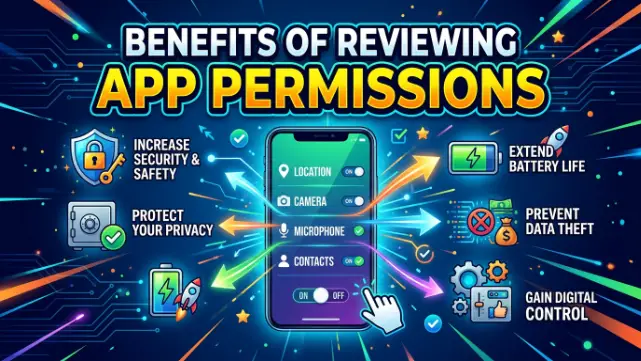
Reviewing permissions on a fixed schedule reduces your data footprint, improves battery performance, and gives you a clearer picture of which apps are trustworthy. Each benefit compounds with the others over time.
Reduced Data Exposure to Third Parties
Roughly two-thirds of mobile apps collect location data even when it has no clear connection to what the app actually does, and 46% request contact access, which exposes people who never agreed to anything (Folio3 Data Privacy Report, 2026).
Revoking unnecessary location and contact permissions directly cuts off that collection at the source. No app update required. No settings menu deep enough to hide it from you, either, once you know where to look.
Better Battery Life From Fewer Background Processes
Apps with standing location or background data access tend to run more often, not less. Pulling those permissions reduces how frequently an app wakes up to check your position or sync data nobody asked for.
This connects directly to the battery settings worth checking on your phone – background restrictions and permission reviews work as a pair, not separately.
Lower Risk From Apps With Excessive “Dangerous” Permissions
Not all permissions carry equal weight. Android classifies some as “dangerous” – things like SMS access, call logs, and camera. A 2026 analysis of three major messaging apps found Telegram requests 71 total permissions, 25 of them dangerous, while Signal requests 72 permissions with 19 dangerous (Help Net Security, 2026).
Even apps built around privacy carry permission baggage. Reviewing what’s actually active, rather than what’s installed by default, narrows that gap.
Identifying Apps That Should Be Deleted Entirely
Sometimes a permissions review surfaces something simpler: an app you forgot existed. If you can’t remember why an app needs camera and microphone access, you probably don’t need the app either. Deleting it removes the permission problem entirely, along with whatever storage and background processes came with it.
Reduced Targeted Advertising Based on Sensitive Data
When 82% of apps collect device identifiers specifically for advertising and analytics (SafetyDetectives, via Folio3 Data Privacy Report, 2026), the connection between permissions and the ads you see isn’t abstract. Fewer permissions, particularly location and contacts, mean fewer data points feeding the targeting model.
How to Review App Permissions on Android Step by Step
A full permissions review takes about five minutes if you focus on the apps that matter most, rather than going through every app on your phone individually.
Open the Privacy Dashboard
Go to Settings > Privacy > Privacy Dashboard. This shows a timeline of which apps used your camera, microphone, and location over the past 24 hours and the past 7 days.
Sort by Permission Type, Not by App
Tap into “Location” first, then “Microphone,” then “Camera.” This flips the usual approach. Instead of going app by app, you see every app with access to one sensitive permission at a time, which makes outliers obvious fast.
Revoke Anything That Doesn’t Match the App’s Job
If a flashlight app has microphone access, that’s a revoke. If a note-taking app has location access “all the time,” that’s worth questioning too. Android lets you set most permissions to “Only while using the app” instead of removing them entirely, which is the safer middle ground for apps you actually use.
Use the New Contact Picker Where Available
On devices running Android 17, apps can request access to specific contacts rather than your entire address book through a new contact picker feature (Google Security Blog, 2026). If an app prompts for full contacts access and a picker option exists instead, take the picker.
Set a Recurring Reminder
This is the step almost everyone skips. A calendar reminder every three months, tied to something you already do – paying a recurring bill, for instance – keeps the review from becoming a one-time event that quietly stops mattering.
Short Case Study: A Small Business Owner’s Permission Audit
A freelance photographer based in Sylhet ran her first permissions audit after reading about location tracking concerns online. She had 84 apps installed. Eleven had “Allow all the time” location access. Of those eleven, she used four regularly.
She set the other seven to “Only while using the app” and removed microphone access from a PDF scanner app that had no legitimate reason to need it. Her phone’s standby battery drain dropped noticeably within a week, and she now runs the same check every time her phone updates to a new Android version.
Nothing dramatic happened. No breach, no incident. Just quieter background activity and a battery that lasted longer without changing a single habit.
A Note on VPNs and Permission Reviews Working Together
Permission reviews and VPN use often get treated as separate privacy tools, but they cover different gaps. A VPN protects what leaves your device over the network. Permission settings control what apps can access on the device itself before anything gets sent anywhere.
Mobile VPN adoption sits close behind desktop use, with 69% of VPN users running one on a mobile device compared to 72% on desktop or laptop (Windscribe, via Folio3 Data Privacy Report, 2026). Running both together closes more of the gap than either does alone, though neither replaces the other.
Frequently Asked Questions About Reviewing App Permissions
What is the easiest way to review app permissions on Android?
The Privacy Dashboard under Settings > Privacy is the fastest method. It groups recent permission usage by type – location, camera, microphone – over the last 24 hours and 7 days, making it easy to spot apps that shouldn’t have access.
How often should I review app permissions?
Once every three months is a practical baseline for most users. Tying the review to a recurring event you already do, like a quarterly bill payment, makes it more likely to actually happen.
What is the difference between “Allow all the time” and “Only while using the app”?
“Allow all the time” gives an app access to a permission like location even when it’s closed or running in the background. “Only while using the app” limits that access to moments when you have the app open, which covers most use cases without constant background tracking.
Who should pay closer attention to dangerous permissions?
Anyone using messaging, finance, or health apps, since these categories tend to request the broadest permission sets and handle the most sensitive personal information. Reviewing dangerous permissions – camera, microphone, SMS, call logs – matters most for these apps specifically.
What are the benefits of deleting unused apps as part of a permissions review?
Deleting an app removes every permission it held in one step, along with any background processes and storage it used. It also eliminates a potential update vector for an app you’re no longer monitoring for security patches.
Key Takeaways
- Reviewing app permissions cuts data exposure, improves battery life, and surfaces apps you no longer need.
- Free apps tend to request broader permissions than paid apps, and permission scope has grown steadily across the Android ecosystem.
- The Privacy Dashboard, sorted by permission type rather than by app, is the fastest way to spot outliers.
- A quarterly review, tied to a recurring reminder, keeps this from becoming a one-time fix.
- Newer Android features like the contact picker and temporary location sharing reduce how much access apps need to request in the first place.