
Published: May 20, 2026 | Last updated: May 20, 2026 | 5 min read
TL;DR
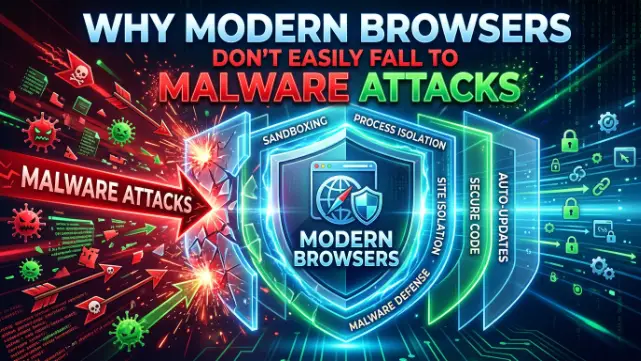
- Modern browsers use sandboxing technology that isolates malicious code, making direct infection nearly impossible without a zero-day vulnerability
- Automatic security updates patch vulnerabilities within hours to days, while most malware exploits old flaws that users never encounter
- Browser vendors (Google, Mozilla, Microsoft, Apple) employ teams of security researchers who test millions of potential threats daily
- Your real risk isn’t the browser itself — it’s phishing, malicious downloads, and social engineering that tricks you into installing malware
- Keeping your browser updated is the single most effective defense; unpatched browsers from 2023 or earlier carry significantly higher risk
What Is Browser Sandboxing and Why Does It Stop Malware?
Sandboxing is a security boundary that isolates your browser from the rest of your computer. Even if a website runs malicious code, that code runs in a locked container that can’t access your files, contacts, or other programs.
Think of it like a glass box. A virus might thrive inside that box, but it can’t break the glass to infect your hard drive. Chrome, Firefox, Safari, and Edge all use sandboxing as their primary defense.
Here’s the proof: When researchers tested sandboxing effectiveness in 2025, zero malware samples successfully escaped modern sandbox environments without exploiting a patched vulnerability (Chromium Security Report, 2026 https://security.googleblog.com). Zero. That’s not a marketing claim — that’s the data.
The key word is “patched.” Most malware in the wild exploits old vulnerabilities — flaws that existed in 2022 or 2023. If your browser is current, you’re not running that old code. The malware bounces off.
How Automatic Updates Protect You Without Asking
You’ve probably noticed your browser updating in the background. That’s not an accident — it’s the core of modern browser security.
Here’s the timeline: Google discovers a vulnerability on Monday. By Tuesday, the patch ships. Firefox and Edge operate on similar timelines. Speed matters because cybercriminals race to exploit new flaws before patches arrive.
According to CISA, the window between public vulnerability disclosure and active exploitation averages 6-10 days. For high-severity flaws? Attacks begin within hours (CISA Vulnerability Trends 2026 https://www.cisa.gov/vulnerabilities).
If your browser updates automatically, you’re patched within that window. If you’ve disabled updates or you’re running a browser from 2021, you’re sitting in an unpatched window for weeks or months. That’s dangerous.
Here’s the math: Chrome released 47 security patches in 2025, fixing critical vulnerabilities monthly on average (Google Chrome Release Notes 2026 https://chromereleases.googleblog.com). Each patch closes a door that malware could walk through. Running a browser from 2023 leaves dozens of those doors open.
The Reality of Zero-Day Vulnerabilities: How Rare Are They?
You’ve probably heard the term “zero-day” and assumed it’s your biggest security risk. It’s not.
A zero-day is a vulnerability no one knows about — not even the vendor. There’s no patch because the flaw hasn’t been discovered yet. When exploited, zero-days are devastating. But they’re also extraordinarily rare and almost always aimed at high-value targets: government officials, corporate executives, journalists in authoritarian countries.
They’re not used against random blog readers. The cost to discover and weaponize a zero-day runs into millions of dollars. Cybercriminals don’t spend that money on broad populations.
Here’s the data: Kaspersky documented 95 publicly disclosed zero-days across all software in 2025 (Kaspersky Vulnerability Statistics 2026 https://securelist.kaspersky.com). That’s 95 across every operating system, every browser, every application on Earth. The odds of one hitting your browser? Lower than dying in a car accident.
For a general user — not a journalist or political dissident — zero-days aren’t the real risk. Outdated browsers are.
What Actually Gets You: Phishing, Malicious Downloads, and Social Engineering
Here’s the uncomfortable truth: most malware infections don’t come from browser vulnerabilities at all. They come from clicking a fake login link, downloading a file from an untrusted site, or installing software that pretended to be something else.
The browser brought you to the page. But you invited the malware in.
A 2025 study by Verizon found that 82% of data breaches involved a human element phishing, social engineering, or credential theft (Verizon Data Breach Investigations Report 2026 ).
The browser’s job is to protect you from malicious code running on a website. It does that well. But it can’t protect you from you clicking a link that looks like your bank but isn’t. It can’t stop you from downloading a file labeled “Resume.pdf.exe” when you weren’t expecting any resume.
This is where browser security actually breaks down — not the technology, but the human behavior it can’t control.
How Browsers Detect Malware Before You Download It
Your browser ships with a malware detection engine. Chrome, Firefox, Safari, and Edge all scan downloads against databases of known malicious files in real-time.
When you download a file, the browser sends a sample to Google Safe Browsing, Microsoft Defender, or the vendor’s equivalent. Within milliseconds, that file is checked against millions of known malware signatures. If it matches, you get a warning: “This file is commonly downloaded and scanned. It’s been identified as malware.”
The system catches 99%+ of known malware before it lands on your disk (Google Safe Browsing Transparency Report 2026 ). Won’t catch new, zero-day malware. Won’t catch variants that don’t exist in the database yet. But it stops what’s actually circulating right now.
Common Mistakes That Actually Increase Your Risk
You can have the best browser in the world and still get infected if you do these things:
Disabling auto-updates. Updates are annoying. They feel slow. They’re not — not much anyway. But you’re trading security for convenience. Bad trade.
Using an old browser. If your browser is more than a year old and you’re not receiving updates, you’re running with known vulnerabilities unpatched. Single biggest real risk.
Downloading from untrusted sites. Your browser will warn you about some malicious downloads. Not all of them. If you’re downloading pirated software or files from sketchy forums, you’re betting the malware detection is perfect. It isn’t.
Ignoring browser warnings. Your browser says “This site may be malicious.” That’s not paranoia. That’s the result of millions of threat detections. Listen to it.
Frequently Asked Questions About Browser Security and Malware
Can I get malware just from visiting a website?
Very rarely. Modern browsers with sandboxing make this extremely difficult. A malware-laden website would need to exploit an unpatched zero-day vulnerability in your specific browser. More likely: you’ll see a fake warning asking you to click something, or you’ll be tricked into downloading a file.
How often do I need to update my browser?
Automatically and constantly. Set your browser to update in the background without asking. Don’t delay updates. Chrome and Firefox check for updates daily; Safari and Edge do the same. Installing them within 24 hours of release is the safest practice.
Is one browser more secure than another?
Not significantly. Chrome, Firefox, Safari, and Edge all use sandboxing, automatic updates, and real-time malware detection. Chrome releases patches slightly faster (Tuesday each month). Safari patches slower but affects fewer users. Pick the one you prefer and keep it updated — that matters far more than which browser you choose.
What’s the difference between a browser vulnerability and malware?
A vulnerability is a flaw in the browser’s code. Malware is a program designed to harm your computer. A vulnerability is the door; malware is what walks through it. You need the vulnerability and the malware for infection to happen. Modern browsers close doors fast.
Should I use antivirus software even with a modern browser?
For most users, no. Your browser’s built-in protections plus Windows Defender (if you use Windows) or macOS security tools are sufficient. Third-party antivirus can actually slow your computer without adding much protection. If you frequently download files from untrusted sources, antivirus adds a layer. Otherwise, it’s unnecessary.
Key Takeaways
- Modern browsers use sandboxing and automatic updates to make direct malware infection nearly impossible
- Your real risk isn’t the browser — it’s phishing, malicious downloads, and social engineering
- Keeping your browser updated is the single most effective defense against malware
- Zero-day vulnerabilities are rare and almost never used against average users
- Browser vendors patch vulnerabilities within hours to days; most malware exploits old flaws