
Published: June 29, 2026 | Last updated: June 29, 2026
TL;DR
- A dedicated sound card provides superior audio quality through higher-end components, lower noise, and dedicated processing power compared to most onboard audio.
- They are particularly recommended for driving high-impedance headphones (150+ ohms) that onboard audio cannot power cleanly (Dom’s Tech Blog, 2026).
- Sound cards offer specialized gaming features like virtual surround sound and Scout Mode for enhanced positional audio cues (TechPowerUp, 2026).
- They can eliminate electrical interference (hissing, buzzing) caused by other PC components (SlashGear, 2025).
- High-end cards provide better signal-to-noise ratios, with some reaching 120 dB or higher, compared to 108-113 dB on good onboard audio (PreferredByPete, 2026).
- They represent a long-term investment, often outlasting CPUs and GPUs through multiple system upgrades (Yahoo Tech, 2026).
What Does a PC Sound Card Actually Do?
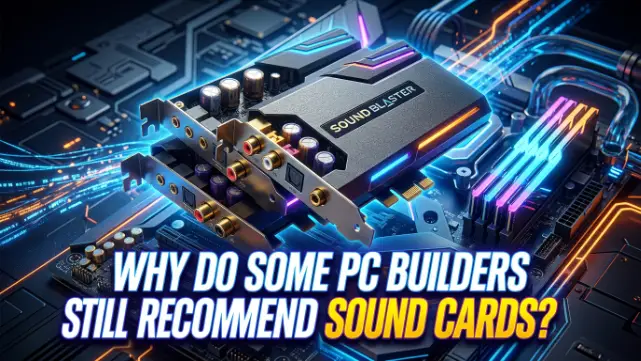
A sound card is a dedicated computer component responsible for generating and recording audio. Its primary function is to convert digital audio data from your computer into an analog signal that your headphones or speakers can play (Acer Corner, 2023). It does this using a Digital-to-Analog Converter (DAC). While every motherboard includes a basic DAC for this purpose, a dedicated sound card performs this conversion with higher quality components, lower electrical noise, and more processing power (Dom’s Tech Blog, 2026).
The sound card also typically includes a headphone amplifier to boost the signal to a level that can properly drive headphones, especially high-impedance models. Many modern cards also feature dedicated audio processing chips that can handle effects like virtual surround sound, equalization, and positional audio enhancements without burdening the CPU (TechPowerUp, 2026).
Why Are Sound Cards Not Used Anymore?
Sound cards have largely disappeared from mainstream PC builds because motherboards now embed high-quality audio hardware directly. Integrated audio has improved dramatically, with modern mid-range and above motherboards using codecs like the Realtek ALC1220 or ALC4080 that deliver clean, low-noise audio (PreferredByPete, 2026). The need for a separate card has simply evaporated for most people.
As one analysis notes, “Sound cards are all but extinct now, which seems odd since they used to be an essential part of any high-end PC build. Now they’re a niche inclusion only for those with money to burn or for specific uses” (XDA-Developers, 2024). The space they once occupied has been overtaken by improved onboard audio and alternative external solutions like USB DACs and audio interfaces (SoundGuys, 2024).
When Does a Sound Card Actually Make a Difference?
Despite the dominance of onboard audio, PC builders still recommend sound cards in specific scenarios where integrated solutions fall short.
High-Impedance Headphones. This is the most common and clearest use case. High-quality audiophile headphones like the Sennheiser HD 600 (300 ohms) or Beyerdynamic DT 990 Pro (250 ohms) require more power to drive than a motherboard’s headphone jack can cleanly provide. Plugging them directly into onboard audio results in low volume, weak bass, and distortion (Dom’s Tech Blog, 2026). A dedicated sound card with a built-in headphone amplifier, such as the Creative Sound Blaster Audigy FX which supports up to 600 Ω headphones, is genuinely necessary here (Creative, 2026).
Electrical Interference. The inside of a PC is an electrically noisy environment. Powerful GPUs, CPUs, and power supplies can introduce hissing, buzzing, or whining sounds into poorly isolated onboard audio circuits (SlashGear, 2025). A dedicated sound card, with its own shielding and isolated analog output stage, sits away from this interference, providing a cleaner signal path. As one reviewer explains, “the explanation is less audiophile than electrical: the USB filter smooths out the influence of the graphics card during gaming” (Igor’s Lab, 2026).
High-Quality Speakers or Studio Monitors. High-end speakers reveal the noise and imperfections present in cheaper onboard audio circuits (Dom’s Tech Blog, 2026). A dedicated sound card ensures that the audio signal reaching your speakers is as clean and accurate as possible.
Specialized Gaming Features. Gaming-focused sound cards offer features like virtual surround sound, Scout Mode (which amplifies positional audio cues like footsteps), and gaming EQ presets. For competitive gamers, these features can provide a tangible edge (TechPowerUp, 2026). The Creative Sound Blaster AE-X, for example, features “Scout Mode for positional audio, AutoEQ headphone calibration presets and customizable sound profiles” (TechPowerUp, 2026).
Audio Production. For anyone doing audio production on the side, a dedicated sound card or audio interface offers significant advantages. As one forum user noted, “even a mid-range interface like a Focusrite Scarlett wipes the floor with onboard for low-latency monitoring and clean line inputs” (PreferredByPete, 2026).
Do Motherboards Come with Sound Cards?
Yes, but not as a separate, removable card. Motherboards come with an integrated audio chipset, commonly a Realtek codec, which performs the same basic functions as a sound card (Best Buy, 2022). This onboard audio can be disabled in the BIOS if you install a dedicated sound card. The vast majority of consumer motherboards include this feature, making a dedicated sound card an optional upgrade rather than a necessity.
As one Puget Systems guide explains, “Most modern motherboards come with a sound controller built in. The newer motherboards even have controllers that are comparable to some of these sound cards” (Puget Systems, 2022).
Sound Card vs Onboard Audio: A Comparison
| Feature | Onboard Audio | Dedicated Sound Card |
|---|---|---|
| Sound Quality | Good, sufficient for most users | Excellent, with higher-end components |
| Signal-to-Noise Ratio (SNR) | Typically 108-113 dB (PreferredByPete, 2026) | Can reach 120 dB or higher (PreferredByPete, 2026) |
| Headphone Amplifier | Weak, struggles with high-impedance headphones (Dom’s Tech Blog, 2026) | Powerful, often supports up to 600 Ω headphones (Creative, 2026) |
| Electrical Interference | Susceptible to noise from other components (SlashGear, 2025) | Shielded, isolates audio from interference |
| Gaming Features | Basic or software-based | Advanced (Scout Mode, Virtual Surround, EQ) (TechPowerUp, 2026) |
| Price | Included with motherboard | $50 – $300+ (Guru3D, 2026) |
| Longevity | Tied to motherboard lifespan | Outlasts most other components (Yahoo Tech, 2026) |
Troubleshooting Common Audio Issues
| Problem | Likely Cause | Fix |
|---|---|---|
| Hissing or buzzing from speakers | Electrical interference from GPU/PSU (SlashGear, 2025) | Install a shielded sound card or use an external DAC |
| Headphones sound quiet or lack bass | Onboard amp can’t drive high-impedance headphones (Dom’s Tech Blog, 2026) | Get a sound card or DAC with a dedicated headphone amplifier |
| Poor positional audio in games | Lack of advanced surround sound processing | Consider a sound card with virtual surround sound or Scout Mode (TechPowerUp, 2026) |
| Audio crackling or popping | Outdated or corrupted audio drivers | Update your audio drivers from the motherboard or sound card manufacturer’s website |
Should I Get a Sound Card for My PC?
The decision ultimately depends on your specific needs and hardware. Here’s a quick guide to help you decide.
You probably DON’T need a sound card if:
- You use standard gaming headsets (especially USB headsets, which have their own DAC) (Dom’s Tech Blog, 2026).
- You use budget to mid-range speakers or headphones (SlashGear, 2025).
- You are satisfied with your current audio quality.
- You are on a tight budget.
You should CONSIDER a sound card if:
- You have high-impedance headphones (150+ ohms) (Dom’s Tech Blog, 2026).
- You hear a hiss, buzz, or whine from your speakers or headphones (SlashGear, 2025).
- You are a competitive gamer who wants every possible advantage (TechPowerUp, 2026).
- You have high-quality speakers or studio monitors.
- You are doing any kind of audio production, where even a mid-range interface provides significantly better low-latency monitoring and cleaner inputs than onboard audio (PreferredByPete, 2026).
Sound Card for PC Windows 11: Compatibility
When choosing a sound card, it’s crucial to ensure compatibility with your operating system. Most modern sound cards from reputable brands like Creative are fully compatible with Windows 11. For example, Creative Labs confirms that the Sound Blaster Audigy Fx PCIe Sound Card is compatible with Windows 11. Similarly, the newly launched Sound Blaster Audigy FX Pro supports both Windows 10 and Windows 11 (x64) (Creative, 2026). As one user noted on a forum, the Creative Sound Blaster AE-5 Plus has “no software issues and it has run stable on Win11” (Guru3D Forums, 2025).
The Case for Sound Cards: A Long-Term Investment
One of the most compelling arguments for a dedicated sound card is its longevity. While CPUs and GPUs become outdated every few years, sound cards don’t have the same problem. Audio technology changes slowly, and a high-quality DAC and amplifier can remain relevant for a decade or more. As one enthusiast noted, sound cards “typically last much longer than other components in your PC” (Yahoo Tech, 2026). This makes them a sound investment for those who value high-quality audio and want a component that will survive multiple system upgrades.
Frequently Asked Questions
Are sound cards obsolete in 2026?
No, but they have become a niche product. For most users, onboard audio is sufficient. However, sound cards still offer tangible benefits for audiophiles, competitive gamers, and users with high-impedance headphones or high-end speaker setups (PreferredByPete, 2026).
Do I need a sound card for my PC build?
Probably not. For the vast majority of PC builds in 2026, the motherboard’s onboard audio will be more than adequate. However, if you fall into one of the specific use cases mentioned above (high-impedance headphones, electrical interference, etc.), a dedicated sound card can be a worthwhile upgrade (Dom’s Tech Blog, 2026).
What does a PC sound card do?
A PC sound card is a dedicated component that processes audio. Its primary function is to convert digital audio data from your computer into an analog signal that your headphones or speakers can play. It does this with higher-quality components and less interference than most onboard audio solutions (Acer Corner, 2023).
Will a sound card improve my gaming performance?
No, a sound card will not improve your FPS or reduce input lag. However, it can improve your gaming experience by providing clearer, more immersive audio and, in some cases, giving you a competitive edge through enhanced positional audio cues (Dom’s Tech Blog, 2026).
Do motherboards come with sound cards?
Yes, but they are integrated onto the motherboard rather than being a separate, removable card. This onboard audio uses a codec chip (often from Realtek) to handle audio processing (Best Buy, 2022).
Is a sound card worth it for gaming?
It depends on your setup. If you’re using a standard gaming headset with a USB connection, a sound card won’t make a difference because the headset has its own built-in DAC. However, if you’re using high-quality, high-impedance headphones or a multi-speaker surround setup, a sound card can provide a noticeable improvement in audio quality and immersion (Dom’s Tech Blog, 2026).
Why are sound cards not used anymore?
Sound cards have become less common because motherboard audio has improved dramatically over the past decade. For most people, the audio quality provided by modern onboard solutions is “good enough,” eliminating the need for a separate, dedicated component (XDA-Developers, 2024).
What is the best sound card for gaming in 2026?
The “best” sound card depends on your budget and needs. High-end options include the Creative Sound Blaster AE-7 and the newly launched Sound Blaster AE-X (with a quad-core processor and ESS SABRE-class DAC) (TechPowerUp, 2026). For a more affordable option, the Creative Sound Blaster Audigy FX Pro, priced at around the sub-$100 mark, offers a significant upgrade over onboard audio (Guru3D, 2026).
Key Takeaways
- A dedicated sound card is not a necessity for most PC builders in 2026, as modern motherboard audio is very capable (PreferredByPete, 2026).
- Sound cards are still recommended for users with high-impedance headphones (150+ ohms) that require more power to drive (Dom’s Tech Blog, 2026).
- They can eliminate electrical interference (hissing, buzzing) caused by other PC components like GPUs (SlashGear, 2025).
- Gaming-focused sound cards offer specialized features like Scout Mode and virtual surround sound that can provide a competitive edge (TechPowerUp, 2026).
- High-end sound cards provide superior signal-to-noise ratios, with some exceeding 120 dB (PreferredByPete, 2026).
- A sound card is a long-term investment, often outlasting CPUs and GPUs through multiple system upgrades (Yahoo Tech, 2026).