
Published: July 9, 2026 | Last updated: July 9, 2026
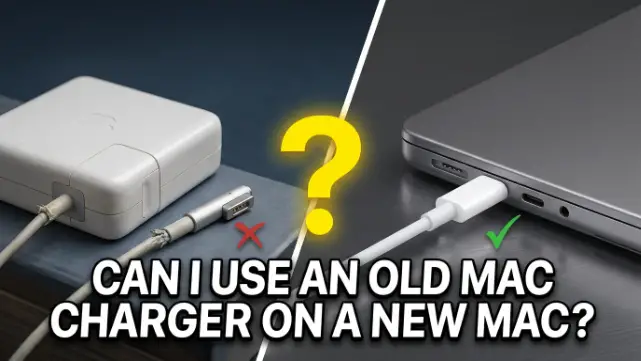
The answer is both yes and no it entirely depends on the connector type and the age of your Mac. If your Mac charges via USB-C, you can use almost any USB-C power adapter, even if its wattage is higher or lower than the one recommended for your Mac (Apple Support, 2026). However, if you have an older MagSafe charger (MagSafe or MagSafe 2) and a new Mac with MagSafe 3, the physical connector is different and they are not compatible (Apple Support, 2024). This guide explains exactly which chargers work with which Macs, what adapters exist, and how to charge safely without damaging your battery.
TL;DR
- If your Mac uses USB-C to charge, you can use any USB-C power adapter that supports USB Power Delivery (USB PD), even if it provides higher or lower wattage than Apple’s recommendation (Apple Support, 2026).
- MagSafe and MagSafe 2 chargers are not compatible with MagSafe 3. The connectors are physically different (Apple Support, 2024).
- You can use an older MagSafe adapter with a MagSafe 2 port by using a MagSafe to MagSafe 2 Converter. This converter is not compatible with MagSafe 3 (Apple Support, 2026).
- A lower-wattage charger will charge your Mac more slowly. A higher-wattage charger is safe but won’t charge faster than your Mac can accept (Apple Support, 2026).
- For the best charging experience, use a power adapter that provides at least the minimum wattage recommended for your specific Mac model (Apple Support, 2026).
- Your Mac charges over only one port at a time, so connecting multiple power sources won’t charge it faster (Apple Support, 2024).
USB-C Chargers: The Universal Standard
If your Mac charges via USB-C, you’re in luck. Apple states that if your Mac uses USB-C to charge, you can charge your Mac laptop with any USB-C power adapter or display that supports USB Power Delivery (USB PD) (Apple Support, 2026). This means you can mix and match chargers between different MacBook models, iPads, and even some third-party chargers.
Can I Use a Lower-Wattage Charger?
Yes. Using a lower-wattage charger is completely safe but will result in slower charging. For example, using a 30W charger on a 14-inch MacBook Pro that normally uses a 67W or 96W adapter will still charge the battery, just more slowly. Apple notes that you can use a power adapter or display that provides higher or lower wattage than the adapter recommended for your Mac (Apple Support, 2026). For the best charging experience, you should use a power adapter that provides at least the minimum wattage recommended for your Mac (Apple Support, 2026).
Can I Use a Higher-Wattage Charger?
Yes. A higher-wattage charger (like using a 140W MacBook Pro charger on a MacBook Air) is safe. Your Mac will only draw the power it needs. Apple explains that even if a power adapter provides higher wattage than the adapter recommended for your Mac, it is safe to use (Apple Support, 2026). However, your Mac won’t charge faster than its maximum supported rate. For example, using a 140W charger on a MacBook Air that maxes out at 70W won’t charge it any faster than a 70W charger.
USB-C Cable Matters
It’s worth noting that USB-C charge cables support different maximum wattages. Apple advises that USB-C charge cables support different maximum wattages (W), so ensure you choose the correct cable for your needs (Apple Support, 2024). For high-wattage charging (like 140W for the 16-inch MacBook Pro), you need a cable rated for that wattage.
MagSafe Chargers: Compatibility by Generation
The MagSafe connector has gone through three generations, each with different physical designs and compatibility.
MagSafe 3 (2021 and Later)
MagSafe 3 is the current connector used on:
- MacBook Air models introduced in 2022 or later (Apple Support, 2026)
- 14-inch MacBook Pro models introduced in 2021 or later (Apple Support, 2026)
- 16-inch MacBook Pro models introduced in 2021 or later (Apple Support, 2026)
Important: MagSafe 2 and MagSafe power adapters aren’t compatible with MagSafe 3 (Apple Support, 2024). The connectors are physically different and cannot be connected.
MagSafe 2 (2012–2020)
MagSafe 2 was used on MacBook Air and MacBook Pro models from approximately 2012 to 2020. It has a thinner, wider connector than the original MagSafe.
Can you use an old MagSafe charger with MagSafe 2? Yes. If you have an older MagSafe adapter, you can use it with Mac computers that have MagSafe 2 ports by using a MagSafe to MagSafe 2 Converter (Apple Support, 2026).
Can you use a MagSafe 2 charger on a MagSafe 3 Mac? No. The MagSafe to MagSafe 2 Converter is not compatible with MagSafe 3 (Apple Support, 2026).
Original MagSafe (2006–2012)
The original MagSafe connector (T-style or L-style) was used on older MacBook, MacBook Air, and MacBook Pro models from 2006 to 2012.
Can you use an original MagSafe charger on a MagSafe 2 Mac? Yes, with the MagSafe to MagSafe 2 Converter (Apple Support, 2026).
Can you use an original MagSafe charger on a MagSafe 3 Mac? No. Not compatible.
Recommended Chargers by Mac Model
Here are the recommended power adapters for current and recent Mac models, according to Apple (Apple Support, 2026):
| Mac Model | Recommended Charger | Notes |
|---|---|---|
| MacBook Neo | 20W USB-C Power Adapter | — |
| MacBook Air (2022 or later) | 30W, 35W, 67W, or 70W USB-C Power Adapter + USB-C to MagSafe 3 Cable | Can also charge with USB-C charge cable (Apple Support, 2026) |
| MacBook Air (2018–2021) | 30W USB-C Power Adapter or 40W Dynamic Power Adapter with 60W Max + USB-C Charge Cable | — |
| 14-inch MacBook Pro (2021 or later) | 67W, 70W, or 96W USB-C Power Adapter + USB-C to MagSafe 3 Cable | Can also charge with USB-C charge cable (Apple Support, 2026) |
| 16-inch MacBook Pro (2021 or later) | 140W USB-C Power Adapter + USB-C to MagSafe 3 Cable | Can also charge with USB-C charge cable (Apple Support, 2026) |
| 16-inch MacBook Pro (2019) | 96W USB-C Power Adapter + USB-C Charge Cable | — |
| 13-inch MacBook Pro (2016 or later) | 61W USB-C Power Adapter + USB-C Charge Cable | — |
| 15-inch MacBook Pro (2016 or later) | 87W USB-C Power Adapter + USB-C Charge Cable | — |
Using MagSafe to USB-C Adapters (Third-Party)
While Apple does not make an official MagSafe-to-USB-C adapter, several third-party manufacturers offer USB-C to MagSafe 2 adapters. These allow you to use a USB-C charger (like the one that came with a newer Mac) with an older MagSafe 2 MacBook (Anker, 2026). However, these are not Apple-supported and may not provide the same charging experience or safety standards. If you choose to use one, ensure it’s from a reputable brand and supports USB Power Delivery (PD).
Charging with Multiple Ports: One at a Time
If your Mac has both MagSafe 3 and USB-C ports, you might wonder if connecting multiple chargers will charge it faster. Apple clarifies: Your Mac charges over only one port at a time (Apple Support, 2024). If you connect more than one power source, your Mac charges only from the cable and power adapter or display providing the most power (Apple Support, 2024). Connecting a charging solution to more than one port, whether MagSafe or USB-C, doesn’t charge your Mac faster (Apple Support, 2024).
Fast Charging
If you want to fast-charge your Mac, you need the right combination of power adapter and cable. Apple states you can fast-charge MacBook Air models introduced in 2022 or later and 14-inch and 16-inch MacBook Pro models introduced in 2021 or later, charging up to 50% in about 30 minutes (Apple Support, 2026). Fast charging requires a higher-wattage USB-C power adapter and the appropriate cable (usually USB-C to MagSafe 3 or a high-wattage USB-C cable).
Troubleshooting Table
| Problem | Cause | Fix |
|---|---|---|
| Old charger doesn’t fit new Mac | Connector type mismatch (MagSafe vs USB-C vs MagSafe 3) | Use a compatible charger or adapter. MagSafe 2 and MagSafe are not compatible with MagSafe 3 (Apple Support, 2024). |
| Charging is very slow | Using a lower-wattage charger than recommended | For best experience, use a charger that provides at least the minimum wattage recommended for your Mac (Apple Support, 2026). |
| Indicator light flashes amber repeatedly | Debris in port or connector, or cable issue | Disconnect, wipe MagSafe 3 port and connector, restart Mac, try again (Apple Support, 2024). |
| Mac not charging when connected | Cable or adapter issue | Try a different USB-C port or cable. If using MagSafe, ensure the connection is secure. |
| Can I use an iPad charger with my Mac? | Yes, if it’s USB-C and supports USB PD | It will charge, but potentially more slowly if wattage is lower than recommended. |
| Can I use a third-party USB-C charger? | Yes, if it supports USB Power Delivery (USB PD) and meets safety standards (Apple Support, 2026) | Ensure it’s compliant with applicable international and regional regulations and safety standards. |
Frequently Asked Questions
Can I use an old Mac charger on a new Mac?
It depends. If your new Mac uses USB-C, you can use any USB-C charger that supports USB Power Delivery (USB PD) (Apple Support, 2026). If your new Mac uses MagSafe 3, older MagSafe or MagSafe 2 chargers are not physically compatible and won’t work (Apple Support, 2024). You can use an older MagSafe adapter with a MagSafe 2 port using a MagSafe to MagSafe 2 Converter (Apple Support, 2026).
Can I use a MacBook Air charger on a MacBook Pro?
Yes, if both use USB-C. You can charge a MacBook Pro with a MacBook Air charger (e.g., 30W), but it will charge much more slowly, especially under heavy use. Apple states you can charge your Mac with any USB-C power adapter or display that supports USB Power Delivery (USB PD) (Apple Support, 2026). However, for the best charging experience, use a power adapter that provides at least the minimum wattage recommended for your Mac (Apple Support, 2026).
Can I use a MacBook Pro charger on a MacBook Air?
Yes, it’s safe. Using a higher-wattage charger (like a 96W or 140W MacBook Pro charger) on a MacBook Air is completely safe. Your Mac will only draw the power it needs. Apple confirms that even if a power adapter provides higher wattage than the adapter recommended for your Mac, it is safe to use (Apple Support, 2026).
Can I use a MagSafe 2 charger on a new MacBook Pro?
No. MagSafe 2 chargers are not compatible with MagSafe 3 ports (Apple Support, 2024). The connectors are physically different and cannot be connected. However, new MacBook Pro models with MagSafe 3 also have USB-C ports, so you can charge them with any compatible USB-C charger.
Can I use a MagSafe charger on a USB-C Mac?
No. MagSafe chargers have a proprietary magnetic connector that doesn’t fit USB-C ports. You’ll need a USB-C charger.
Is it safe to use a third-party charger with my Mac?
Yes, but with caution. Apple states that third-party power adapters or displays should be compliant with applicable international and regional regulations and safety standards (Apple Support, 2026). Look for reputable brands that support USB Power Delivery (USB PD) and have safety certifications.
Will using a higher-wattage charger damage my Mac?
No. Your Mac’s charging circuitry regulates the power it draws. Using a higher-wattage charger is safe and won’t damage your Mac’s battery or internal components.
Why is my Mac charging slowly with a USB-C charger?
Possible reasons include using a lower-wattage charger than recommended, using a USB-C cable that doesn’t support higher wattages, or your Mac being under heavy use while charging. Apple notes that USB-C charge cables support different maximum wattages, so ensure you choose the correct cable (Apple Support, 2024).
Key Takeaways
- If your Mac uses USB-C to charge, you can use any USB-C power adapter that supports USB Power Delivery (USB PD), even if it provides higher or lower wattage than Apple’s recommendation (Apple Support, 2026).
- MagSafe and MagSafe 2 chargers are not compatible with MagSafe 3. The connectors are physically different (Apple Support, 2024).
- You can use an older MagSafe adapter with a MagSafe 2 port by using a MagSafe to MagSafe 2 Converter. This converter is not compatible with MagSafe 3 (Apple Support, 2026).
- A lower-wattage charger will charge your Mac more slowly. A higher-wattage charger is safe but won’t charge faster than your Mac can accept (Apple Support, 2026).
- For the best charging experience, use a power adapter that provides at least the minimum wattage recommended for your specific Mac model (Apple Support, 2026).
- Your Mac charges over only one port at a time, so connecting multiple power sources won’t charge it faster (Apple Support, 2024).
- MacBook Air (2022 or later) and MacBook Pro (2021 or later) support fast charging, reaching up to 50% battery in about 30 minutes with the right adapter and cable (Apple Support, 2026).